logo
Good price  online

products details

Created with Pixso. Home Created with Pixso. Products Created with Pixso.
SMT Machine Parts
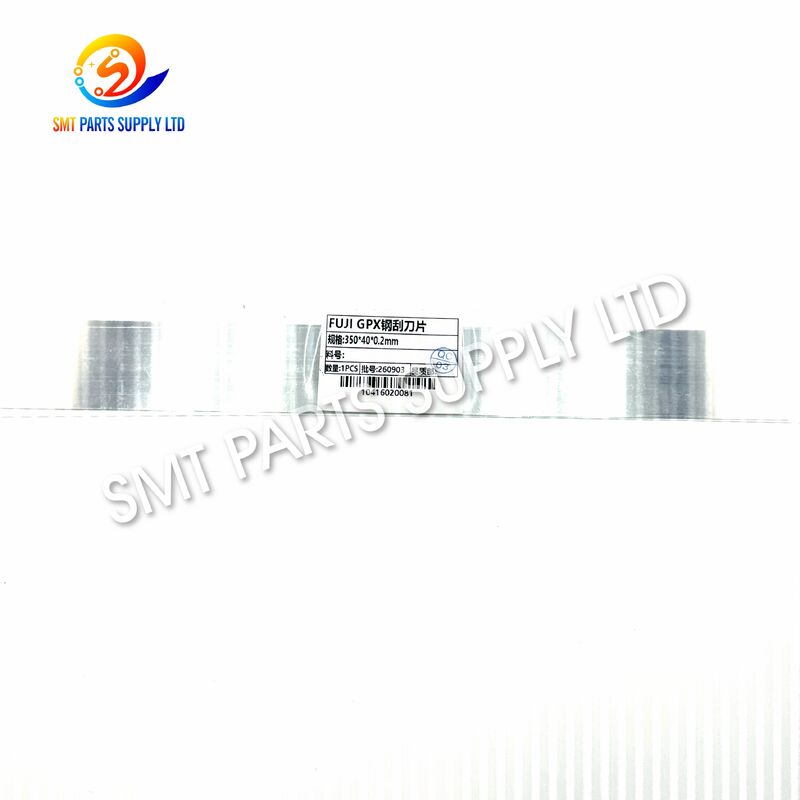
Created with Pixso. FUJI GPX 350x40x0.2mm Stainless Steel Squeegee Blade for Screen Printer

FUJI GPX 350x40x0.2mm Stainless Steel Squeegee Blade for Screen Printer

Brand Name: FUJI GPX
MOQ: 1 Piece
Price: Negotiable
Delivery Time: 3–7 Working Days
Payment Terms: T/T
Detail Information
Place of Origin:
CHINA&JAPEN
Brand Reference:
FUJI GPX
Product Name:
Stainless Steel Squeegee Blade
Product Type:
SMT Screen Printer Part
Material:
Stainless Steel
Blade Length:
350mm
Blade Width:
40mm
Blade Thickness:
0.2mm
Main Function:
Solder Paste Printing
Condition:
New Replacement Part
Packaging Details:
CARTON
Supply Ability:
1000PCS/YEAR
Highlight:

FUJI GPX stainless steel squeegee blade

,

350x40x0.2mm printer squeegee blade

,

screen printer squeegee blade with warranty

Product Description

FUJI GPX 350x40x0.2mm Stainless Steel Squeegee Blade for Screen Printer

FUJI GPX 350x40x0.2mm Stainless Steel Squeegee Blade for Screen Printer FUJI GPX 350x40x0.2mm Stainless Steel Squeegee Blade for Screen Printer FUJI GPX 350x40x0.2mm Stainless Steel Squeegee Blade for Screen Printer

The FUJI GPX 350x40x0.2mm Stainless Steel Squeegee Blade is a precision replacement component used in SMT screen printing equipment for transferring solder paste through stencil apertures onto PCB pads. Manufactured from stainless steel, the blade combines suitable rigidity, wear resistance, and dimensional stability for repetitive printing cycles.

With dimensions of 350mm length, 40mm width, and 0.2mm thickness, this blade is designed for compatible FUJI GPX screen printer squeegee assemblies. A properly maintained squeegee blade helps control solder paste rolling, stencil contact, printing pressure, and separation quality.

For electronics manufacturers, SMT maintenance teams, and machine service companies, replacing worn or damaged squeegee blades can help restore printing consistency and reduce defects caused by uneven paste deposition. Please confirm the blade dimensions, mounting arrangement, and machine configuration before ordering.


Cause

The squeegee blade is continuously exposed to mechanical pressure, stencil contact, solder paste, and repeated movement during normal printing operation. Over time, blade condition can directly affect printing quality.

Common problems include:

Printing Problem Possible Blade-Related Cause
Uneven solder paste Blade edge wear or deformation
Incomplete aperture filling Insufficient or unstable blade contact
Paste remaining on stencil Damaged or unsuitable blade edge
Excess solder paste Incorrect pressure or worn blade
Poor printing repeatability Blade deformation or mounting instability
Streaks on printed PCB Contamination or damaged blade surface

A squeegee blade may look acceptable visually while already showing minor edge wear that affects fine-pitch printing.

Regular inspection is therefore recommended as part of preventive printer maintenance.


Solution

Replacing a worn blade with a correctly sized 350x40x0.2mm stainless steel squeegee blade can help restore stable contact between the blade and stencil surface.

The replacement helps support:

  • Consistent solder paste transfer.
  • Uniform pressure across the stencil.
  • Stable paste rolling during printing.
  • Cleaner stencil surfaces after each print stroke.
  • Improved repeatability between PCB panels.
  • Reduced risk of printing defects caused by blade wear.

The stainless steel construction provides the rigidity required for precise solder paste printing while offering good durability for industrial SMT production environments.

Before replacement, technicians should also inspect the blade holder, mounting screws, stencil condition, solder paste viscosity, printing speed, and programmed squeegee pressure.


Specifications

Item Specification
Product Type SMT Printer Squeegee Blade
Machine Series FUJI GPX
Material Stainless Steel
Blade Length 350mm
Blade Width 40mm
Blade Thickness 0.2mm
Application Solder Paste Screen Printing
Installation Squeegee Holder Assembly
Condition New Replacement Part
Industry SMT Electronics Manufacturing

Dimension Information

Dimension Value
Length 350mm
Width 40mm
Thickness 0.2mm
Material Type Stainless Steel
Printing Function Solder Paste Transfer

Dimensions should always be checked against the existing blade before purchase because printer configurations and squeegee holder specifications may vary.


Application

The squeegee blade is mainly used during the solder paste printing stage of an SMT production line.

Typical applications include:

Application Function
PCB Assembly Solder paste deposition
SMT Production Automatic stencil printing
Electronics Manufacturing High-repeatability PCB printing
Printer Maintenance Replacement of worn blades
Production Line Repair Restoration of printing performance
Spare Parts Inventory Preventive maintenance stock

It can be used in production environments manufacturing:

  • Consumer electronics.
  • Automotive electronic modules.
  • Industrial control boards.
  • Communication equipment.
  • Power supply assemblies.
  • LED electronic products.
  • Computer and peripheral boards.
  • Other surface mount PCB assemblies.

For high-volume SMT factories, keeping replacement squeegee blades in maintenance stock can reduce downtime when blade wear is discovered during production.


How It Works

During solder paste printing, solder paste is deposited onto the stencil. The printer moves the squeegee blade across the stencil surface at a controlled speed and pressure.

The process can be summarized as follows:

1. Solder Paste Loading

Solder paste is placed in front of the blade on the stencil surface.

2. Squeegee Movement

The printer drives the squeegee assembly across the stencil.

3. Paste Rolling

The movement creates a rolling bead of solder paste in front of the blade.

4. Aperture Filling

Pressure generated between the blade and stencil pushes solder paste into the stencil apertures.

5. Surface Cleaning

The blade removes excess paste from the upper stencil surface while leaving paste inside the apertures.

6. PCB Separation

The stencil separates from the PCB, leaving accurately positioned solder paste deposits on the PCB pads.

The blade edge therefore plays an important role in printing accuracy. Incorrect blade dimensions, damaged edges, excessive pressure, or poor installation can cause inconsistent solder paste deposits.


Performance Advantages

Feature Benefit
Stainless Steel Construction Good rigidity and wear resistance
0.2mm Blade Thickness Suitable flexibility for stencil contact
350mm Length Designed for matching printer applications
Smooth Working Edge Supports uniform paste transfer
Stable Dimensions Helps maintain repeatable printing
Replaceable Design Convenient for routine printer maintenance

A suitable blade should maintain even contact across its entire working length without excessive bending.


How To Choose

Choosing a squeegee blade should not be based only on machine brand. Several specifications should be verified before ordering.

1. Check Machine Model

Confirm that your printer belongs to the FUJI GPX series and verify the exact printer configuration.

2. Check Blade Length

This blade has a nominal length of:

350mm

Compare this measurement with the blade currently installed in your equipment.

3. Check Blade Width

Required width:

40mm

The width must be suitable for the installed blade holder.

4. Check Blade Thickness

Required thickness:

0.2mm

Thickness affects blade rigidity and printing behavior.

5. Confirm Mounting Method

Different squeegee holders may use different clamping or mounting arrangements. Check the existing assembly before ordering.

6. Inspect the Existing Blade

If replacing an existing blade, compare:

Verification Point Required Check
Length 350mm
Width 40mm
Thickness 0.2mm
Material Stainless steel
Holder Match existing assembly
Printer Confirm FUJI GPX configuration

7. Provide Photos When Necessary

For machines with uncertain configuration, providing photos of the existing blade and holder can help reduce selection errors.


When Should the Squeegee Blade Be Replaced?

Replacement intervals depend on production volume, stencil condition, solder paste type, printing parameters, and maintenance practices.

Consider replacement when you observe:

  • Visible blade edge damage.
  • Permanent blade deformation.
  • Uneven solder paste deposits.
  • Increased printing defects.
  • Excess paste remaining on the stencil.
  • Scratches or irregular marks during printing.
  • Unstable printing results after parameter adjustment.

Changing the blade early can sometimes prevent unnecessary troubleshooting of other printer systems.


Installation and Maintenance Recommendations

Before installing a replacement blade:

  1. Stop the printer according to the machine maintenance procedure.
  2. Remove solder paste from the existing blade and surrounding area.
  3. Inspect the squeegee holder for contamination or damage.
  4. Install the new blade evenly into the holder.
  5. Confirm that the blade remains straight across its working length.
  6. Tighten the holder uniformly.
  7. Check printing pressure after replacement.
  8. Perform trial printing before returning to full production.

Do not use unnecessary force when cleaning the blade edge, as mechanical damage can affect printing performance.


FAQ

Q1: What machine is this 350x40x0.2mm squeegee blade designed for?

It is designed as a replacement squeegee blade for compatible FUJI GPX screen printer configurations. Because different printer versions and holder assemblies may exist, confirm the blade dimensions and mounting structure before ordering.

Q2: What material is the blade made from?

The blade is manufactured from stainless steel, providing suitable rigidity, dimensional stability, corrosion resistance, and wear resistance for repetitive solder paste printing applications in SMT manufacturing.

Q3: What are the blade dimensions?

The nominal dimensions are 350mm long, 40mm wide, and 0.2mm thick. These three measurements should be compared with your existing blade to confirm compatibility.

Q4: Why does a worn squeegee blade affect SMT printing quality?

A worn or deformed blade may create uneven stencil contact, causing inconsistent paste transfer, incomplete aperture filling, excessive paste, streaking, or unstable solder paste volume across the PCB.

Q5: Can you help confirm compatibility before ordering?

Yes. Please provide your printer model, existing blade dimensions, blade holder information, and clear product photos. These details can help confirm the correct replacement specification before quotation.


Contact Us

Need a FUJI GPX 350x40x0.2mm stainless steel squeegee blade for printer maintenance or production line replacement?

Send us your:

  • Machine model.
  • Required quantity.
  • Existing blade dimensions.
  • Blade holder photos if available.
  • Delivery destination.

We can help verify the specification and prepare a quotation for your SMT spare parts requirement.